Sign for COMPUTER AIDED REALTIME CAPTIONING in ASL | 🔡 ASL Dictionary

Definition: Real-time transcription service converting spoken words into text instantly, displayed on screens for accessibility in live events.

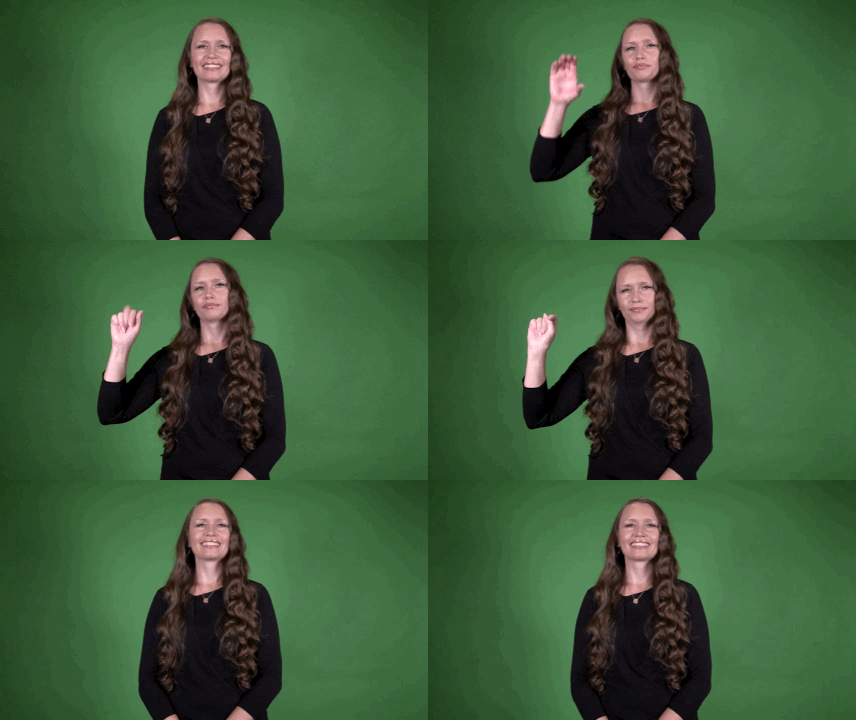
Sign for COMPUTER AIDED REALTIME CAPTIONING in ASL

YouTube player

Practice Activities:

Begin practicing the sign for COMPUTER AIDED REALTIME CAPTIONING in ASL by focusing first on fingerspelling the key elements: COMPUTER, AIDED, REALTIME, and CAPTIONING. Repetition is essential for developing fluidity and confidence in fingerspelling. Use a mirror or video recording tool to compare your handshapes, speed, and transitions. Practice each component slowly, then gradually increase your speed as you gain confidence.

Try practicing in isolation with drilling exercises. Fingerspell the full phrase five times consecutively, then mix in similar long phrases like COMPUTER ASSISTED TRANSCRIPTION or CLOSED CAPTIONING. This helps you develop recognition and fingerspelling endurance. Practice fingerspelling each word out of order and then reassemble the phrase to strengthen mental flexibility.

Use the sign for COMPUTER AIDED REALTIME CAPTIONING in ASL in full sentences, such as “I use computer aided realtime captioning for class,” or “She works with computer aided realtime captioning daily.” These sentences help reinforce the phrase in real-world contexts. Record yourself signing these sentences and review for pacing and clarity.

Create a mini monologue about accessibility in education or captioning in video platforms. Include the sign for COMPUTER AIDED REALTIME CAPTIONING in ASL two or three times to reinforce usage in a narrative setting. You might mention when or why someone might need this service, or the type of environment it is often used in, like courtrooms or live broadcasts.

With a partner, role play a scenario where one person is explaining accessibility tools to a newcomer. One of you can ask about differences between closed captions and the sign for COMPUTER AIDED REALTIME CAPTIONING in ASL. Practicing in dialogue supports more natural use and stronger retention. ‍

Cultural Context:

The sign for computer aided realtime captioning in ASL connects the Deaf and hard of hearing community with emerging technologies that increase access to spoken language in real time. This service uses computer software with trained professionals to transcribe speech instantly, often during meetings, classes, or live events.

Understanding the cultural importance of the sign for computer aided realtime captioning in ASL begins with appreciating how it helps bridge communication gaps. For Deaf individuals who rely on American Sign Language, having access to real-time written captions makes it possible to participate fully in spoken environments. This tool enhances accessibility in classrooms, courtrooms, conferences, and other public spaces.

Captions delivered in real time allow for more direct engagement without time delays. Instead of waiting for transcripts or summaries, users can follow along as the conversation unfolds. The sign for computer aided realtime captioning in ASL helps express that this is not a passive experience—it’s an active and inclusive solution.

Although ASL is a complete and rich language, not every hearing environment supports sign language interpreters. In situations where interpreters aren’t available, the sign for computer aided realtime captioning in ASL gives Deaf users another means to receive information quickly and accurately.

Technology and accessibility have become tightly linked in modern Deaf culture. The sign for computer aided realtime captioning in ASL represents more than just a service; it symbolizes equal opportunity and civic participation. It’s common to see this service used in higher education, job interviews, and government meetings, where accurate and timely information is essential.

People unfamiliar with the Deaf community may assume that subtitles or delayed captions are enough. However, the sign for computer aided realtime captioning in ASL emphasizes the importance of speed and accuracy. Realtime captioning doesn’t just mirror the benefit of sign language—it complements it by filling in gaps when communication would otherwise be difficult.

The development of realtime captioning grew out of a larger movement for disability rights and inclusive design. In ASL classrooms and workshops, the sign for computer aided realtime captioning in ASL is often taught alongside other signs for technology and accessibility. This reinforces its role within the cultural and linguistic toolkit of modern ASL users.

Because ASL is a visual language, signs often reflect the function or purpose of the concept they represent. The sign for computer aided realtime captioning in ASL visually communicates the concept of text, speed, and technology. This helps reinforce understanding across different layers of the Deaf community, especially among youth and new signers.

Whether you’re a teacher using AS

Extended Definition:

The sign for computer aided realtime captioning in ASL represents a technology-driven concept used widely in accessibility services. This term refers to the live transcription of spoken words into text using specialized software and a trained captioner. This is commonly used for Deaf and hard of hearing individuals during events, classes, live broadcasts, or public settings.

To sign computer aided realtime captioning in ASL, you typically combine signs representing “computer,” “assist,” “real-time,” and “captioning” or “typing.” While there may be some variation based on region or personal preference, the general concept remains consistent. Some signers may abbreviate or fingerspell parts of the phrase depending on the context and audience.

This sign is especially important in educational and professional settings. When a lecture or meeting takes place, having live captions available allows full participation for those who rely on visual language access. The phrase computer aided realtime captioning in ASL emphasizes both the use of technology and the purpose of real-time accessibility.

In ASL, compound phrases like this are often signed using a combination of conceptual signs. You may see the sign for computer, followed by an indicator of assistance or support, and a temporal sign for now or real-time. Finally, a gesture for captioning or illustrating text on a screen is included. Sometimes, if someone is unfamiliar with the full sign, they may ask for clarification or fingerspell the acronym CART.

The use of computer aided realtime captioning in ASL has grown with the expansion of online events and webinars. Many organizations now make it a standard practice to include CART services for inclusivity. Learning and using the correct sign for this concept supports accessibility and shows awareness of Deaf culture and communication needs.

This sign is not used in casual conversation unless discussing accessibility tools, technology, or event planning. However, in fields like education, public service, interpreting, and broadcasting, it’s important to recognize the sign and understand its meaning. Because it refers to a very specific service, accuracy in how you sign it can make a big difference in clarity.

In some ASL classes and interpreter training programs, students learn how to express complex technical or service-related terms like computer aided realtime captioning in ASL. Practicing the sign in full context, such as during mock meetings or interpretation assignments, helps reinforce understanding. This ensures confidence when using the sign in real-world situations.

As communication tools evolve, signs that reference those tools also change. The sign for computer aided realtime

Synonyms: Computer-Aided Real-time Captioning, Computer Aided Real-Time Captioning, CART, Realtime Computer Aided Captioning, Computer-Aided Realtime Captioning

Educational resources: Find related learning materials in our course bank!

Want more? Check out some of our popular learning activities on the homepage!

Need to look up a sign? Use our highly rated dictionary: https://aslinteractive.com/best-asl-dictionary/

Follow us on tiktok: https://www.tiktok.com/@aslinteractive. More social media links at the bottom of this page!

Long-tail Keywords: what is the sign for computer aided realtime captioning in ASL, how do you sign computer aided realtime captioning in ASL, learn computer aided realtime captioning in American Sign Language

Categories:

tags: Computer Aided Realtime captioning, technology, language learning, accessibility, education

Parameters

*Handshape*:

The handshape for the Sign for COMPUTER AIDED REALTIME CAPTIONING in ASL typically begins with a flat “C” hand to represent “computer,” transitioning into an open or modified “A” or flat hand when indicating “aided.” ️ The motion may shift into neutral or directional fingers for “realtime” and dexterous movement resembling typing or writing for “captioning.”

Throughout the Sign for COMPUTER AIDED REALTIME CAPTIONING in ASL, the hands often switch between classifier handshapes and fingerspelling. Flexibility of the fingers is key to showing the interaction between technology and live process. This multi-concept sign integrates multiple handshapes in a fluid sequence.

*Palm Orientation*:

For the sign for COMPUTER AIDED REALTIME CAPTIONING in ASL, palm orientation varies slightly throughout the phrase. Typically, for COMPUTER, the dominant hand uses a flat “C” handshape with the palm facing down or moving across the top of the non-dominant hand. AIDED and REALTIME involve directional signs where palms face inwards or slightly outward depending on movement and interpretation.

The CAPTIONING part usually incorporates CL:1 or typing gestures, with palms either downward or inward, simulating typing on a keyboard. The overall sign for COMPUTER AIDED REALTIME CAPTIONING in ASL tends to maintain natural and neutral palm orientation, often corresponding to the location and interaction of the signs within the phrase. ️

*Location*:

The sign for COMPUTER AIDED REALTIME CAPTIONING in ASL is typically located in the neutral space in front of the torso. Signing begins with COMPUTER, which is placed near the side of the head or chest depending on variation, while AIDED and REALTIME involve directional or time-based movements near the mid-torso.

CAPTIONING is articulated with downward movement in front of the body, often near the lower chest or upper waist. The overall placement of the sign for COMPUTER AIDED REALTIME CAPTIONING in ASL stays centered, allowing clarity and visibility in the signer’s neutral signing space. ️✍️

*Movement*:

The sign for COMPUTER AIDED REALTIME CAPTIONING in ASL typically begins with the sign for COMPUTER, where the dominant C hand brushes upward on the side of the non-dominant forearm. This is followed by the concept of HELP or ASSIST, shown by lifting the dominant hand in an A shape from the palm of the non-dominant hand.

Next, the idea of REALTIME is conveyed by signing NOW with both open hands at chest level, then indicating CONTINUOUS ACTION through small forward circles. CAPTIONING is expressed by mimicking rapid typing with both index fingers, moving side by side like typing on a keyboard ‍ . The sign for COMPUTER AIDED REALTIME CAPTIONING in ASL flows from tech to support to action, combining concepts into one fluid phrase.

*Non-Manual Signals*:

The non-manual signals used in the sign for COMPUTER AIDED REALTIME CAPTIONING in ASL include a focused and alert facial expression, reflecting the precision and real-time nature of the concept. Slight eye squinting and head tilt forward can emphasize attentiveness, as if closely following a stream of information. Raised eyebrows may also be used to highlight clarity and active processing.

When signing the phrase, the signer typically maintains an upright posture and may mouth shortened cues or acronyms while maintaining steady eye movement to reinforce the concept behind the sign for COMPUTER AIDED REALTIME CAPTIONING in ASL . Consistency in facial engagement is crucial to convey the ongoing and real-time aspect of captioning effectively.

*Prosody, Dominant/Non-Dominant Hand*:

The sign for COMPUTER AIDED REALTIME CAPTIONING in ASL involves a combination of multiple conceptual signs. The dominant hand begins by signing COMPUTER with a horizontal circular flick over the back of the non-dominant hand in a tap motion. Then, AIDED is conveyed by using both hands in a helping gesture where the dominant hand supports the non-dominant hand moving upward .

For REALTIME, the dominant hand points forward while the non-dominant hand shows a continuous forward motion, indicating ongoing live communication. CAPTIONING is typically fingerspelled quickly, with both hands staying close to the body for visibility ️✍️. The sign for COMPUTER AIDED REALTIME CAPTIONING in ASL blends fingerspelling and conceptual signs fluently using clear, expressive prosody.

Tips for Beginners:

When learning the sign for COMPUTER AIDED REALTIME CAPTIONING in ASL, it’s important to understand that it is usually expressed as a combination of key concept signs and/or fingerspelling. Since this phrase refers to a specialized term related to technology and accessibility services, it is usually fingerspelled in full or abbreviated depending on the context — for example, “CART” may be used in fast-paced dialogue settings. For clarity, it’s ideal to start by mastering the full fingerspelled version of COMPUTER AIDED REALTIME CAPTIONING before learning acceptable abbreviations.

One of the most practical tips is to maintain consistent hand positioning when fingerspelling; your hands should be near the shoulder or neutral signing space at chest height. This keeps the sign visible and centered for your communication partner. Be sure your letters are distinct and clear—practice slow, deliberate movement first, then work up to a natural speed. It’s helpful to watch videos of native signers fingerspelling COMPUTER AIDED REALTIME CAPTIONING to get a sense of realistic pacing.

Avoid rushing through the sign, especially since several of the letters may be visually similar when signed quickly. It’s a common beginner error to blur together similar shapes like E/D or M/N. Take your time to enunciate each handshape clearly. Also, keep eye contact while signing; this fosters better communication and helps viewers connect the fingerspelling to its intended meaning.

Practicing the sign for COMPUTER AIDED REALTIME CAPTIONING in ASL in front of a mirror or recording yourself can make a huge difference. You’ll be able to catch small inconsistencies in your letter formation. Additionally, quiz yourself or ask a fluent signer to check your accuracy. Fingerspelling long phrases like this takes patience, but with repetition and focus, fluency will follow.

sign for computer aided realtime captioning in asl, computer aided realtime captioning asl sign, how to sign computer aided realtime captioning in asl, fingerspell computer aided realtime captioning in asl, asl sign computer captioning

Connections to Other topics:

The sign for COMPUTER AIDED REALTIME CAPTIONING in ASL builds on several foundational ASL concepts, such as compound signs and topic-specific lexicalization. This phrase often integrates signs for COMPUTER, HELP, NOW, and CAPTION, making it a rich example of how ASL conveys technical and specialized information. Because the concept is relatively modern and specific to accessibility and technology, many components may be fingerspelled or abbreviated with initialized signs.

This sign connects closely with other accessibility-related signs such as INTERPRETER, CLOSED CAPTIONING, and TRANSCRIPTION. In classroom or public event contexts, the sign for COMPUTER AIDED REALTIME CAPTIONING in ASL can be used in conjunction with signs for ACCOMMODATIONS or ACCESS. It’s also common in conversations involving DEAF RIGHTS and EDUCATIONAL SUPPORT, reinforcing its place within advocacy and inclusion discourse in the Deaf community.

The sign for COMPUTER, often made by moving a C-hand around the forearm, is used in many tech-related signs and helps learners see how modifiers are added for meaning. For example, COMPUTER PROGRAM or COMPUTER SCIENCE use that base sign as a foundation. Similarly, AIDED often uses a HELP sign with an added directional movement indicating who receives the help, while REALTIME can be indicated by modifying signs like NOW or using consistently fast facial expressions and pace.

CAPTIONING may be fingerspelled or represented with a lexicalized sign resembling TYPING or READ depending on the context. The way signs are blended in the sign for COMPUTER AIDED REALTIME CAPTIONING in ASL also mirrors how ASL forms other technical compounds, such as VOICE RECOGNITION or TEXT TRANSLATION. These compound signs help highlight how integration of visual-spatial elements and clear conceptual chaining are crucial to conveying technological concepts in ASL .

Summary:

The sign for COMPUTER AIDED REALTIME CAPTIONING in ASL is a combination of multiple concepts layered together to express a highly technical and specific service. It typically involves a mixture of conceptual signs and fingerspelling to preserve the full meaning, especially in formal or academic contexts. While native signers may create shorthand versions when the context is clear, precision is key in formal interpreting.

For COMPUTER, the standard sign involves the dominant hand forming a bent C shape and tapping or brushing near the opposite forearm, referencing the historical placement of early computers. This can vary slightly depending on region or user, but the handshape and orientation remain predominantly constant. The sign visually communicates the idea of a machine or device being used on the body.

The word AIDED is generally conceptualized rather than strictly signed. It’s embedded in context, often implied with a sign like HELP or paired alongside it. The HELP sign uses the dominant hand in an open-A shape on top of the palm-up non-dominant hand, lifting upward.

REALTIME is not always signed as a unit but typically broken down. TIME is commonly represented by tapping an index finger on the wrist. To express “real” in REALTIME, some will use signs like IMMEDIATE, RIGHT-NOW, or use body shifts and speed to convey that it’s occurring live.

CAPTIONING, one of the most critical parts of the phrase, can be shown through two common methods. One is the sign for TYPE or TEXT on a screen, using swift tapping fingers mimicking keyboard movement. The other method emphasizes the visual presentation of words, using fingers to mime lines of print or moving text.

Because the full sign for COMPUTER AIDED REALTIME CAPTIONING in ASL pulls from different domains, ASL relies on compositional clarity. Fingerspelling is often used at the beginning when introducing the topic, particularly with acronym forms like CART, a common abbreviation. After this introduction, interpreters may rely on summarized or conceptual signs shaped by semantic need.

Culturally, the practice of COMPUTER AIDED REALTIME CAPTIONING provides direct communication access for the deaf and hard-of-hearing community. It signifies inclusion, technology’s role in leveling access, and equity in education and employment settings. The presence of this service at events often signals a commitment to accessibility.

The sign for COMPUTER AIDED REALTIME CAPTIONING in ASL also connects deeply with Deaf culture’s relationship with written English. Captioning instruments produce English text in real time, thus intersecting with language ideologies about ASL-versus-English dynamics. While some in the community strongly favor interpreting-only services, others appreciate captioning’s clarity.

Grammatically, using this sign requires careful classifiers and placement. For example, showing a captioning screen may involve small, repetitive handshapes indicating scrolling or typing across an imaginary screen. Classifiers help shape spatial conceptions of text and where it appears in relation to a signer.

The sign also brings together a spectrum of ASL linguistics. It merges lexical items like COMPUTER with iconic representations such as typing for CAPTIONING. It highlights the productive morphology of ASL, where new concepts can be created through layering signs and modifying movement or facial expressions.

Interpreters often adopt a pacing to match the tone of captioned speech, mimicking the flow of real-time text. This syncs with the function of the sign for COMPUTER AIDED REALTIME CAPTIONING in ASL — not only stating what it is but performing its affective dimension. The rhythm of such signs may reflect urgency, neutrality, or technical cadence based on context.

Applied linguistics views the sign for COMPUTER AIDED REALTIME CAPTIONING in ASL as part of the broader multimodal landscape of communication. It forms part of deaf multilingual practices where English and ASL coexist. The choice of whether to fingerspell, sign conceptually, or show visual representations can reflect setting, fluency, and community dynamics.

The interpretation choices in rendering this sign often align with sociolinguistic factors. For instance, in a high-tech conference, the sign might be sleek and referential, pointing to a screen or device. In contrast, in an educational lecture, it might be more literal to help the audience understand the work of having spoken words transformed into real-time readable formats.

The evolution of language around COMPUTER AIDED REALTIME CAPTIONING in ASL shows how the Deaf community adapts to technological changes. As captioning tools and AI transcription advance, more efficient or expressive signs may emerge. Already, younger signers may streamline this phrase with glosses or classifiers unique to context.

There is also an identity dimension to this sign. Choosing ASL interpretation versus COMPUTER AIDED REALTIME CAPTIONING reveals preferences in communication modality. It connects to discourse on Deaf Gain, or the idea that Deaf ways of being bring unique benefits like visual learning and spatial attentiveness.

In interpreter training programs, mastering the sign

Want more? Check out some of our popular learning activities!

ASL Interactive Resources

ASLInteractive YouTube Channel

Follow us on tiktok: @aslinteractive.com

Follow us on Instagram: aslinteractive

Facebook page: aslinteractive

Facebook group: aslinteractive

LInkedIn: ASL Interactive LLC

Twitter: @ASL_interactive

*Some information on this page is AI-generated. AI can make mistakes. Please check the information.

Sign for COMPUTER AIDED REALTIME CAPTIONING in ASL

Responses